
See budget, committed, and actual separately
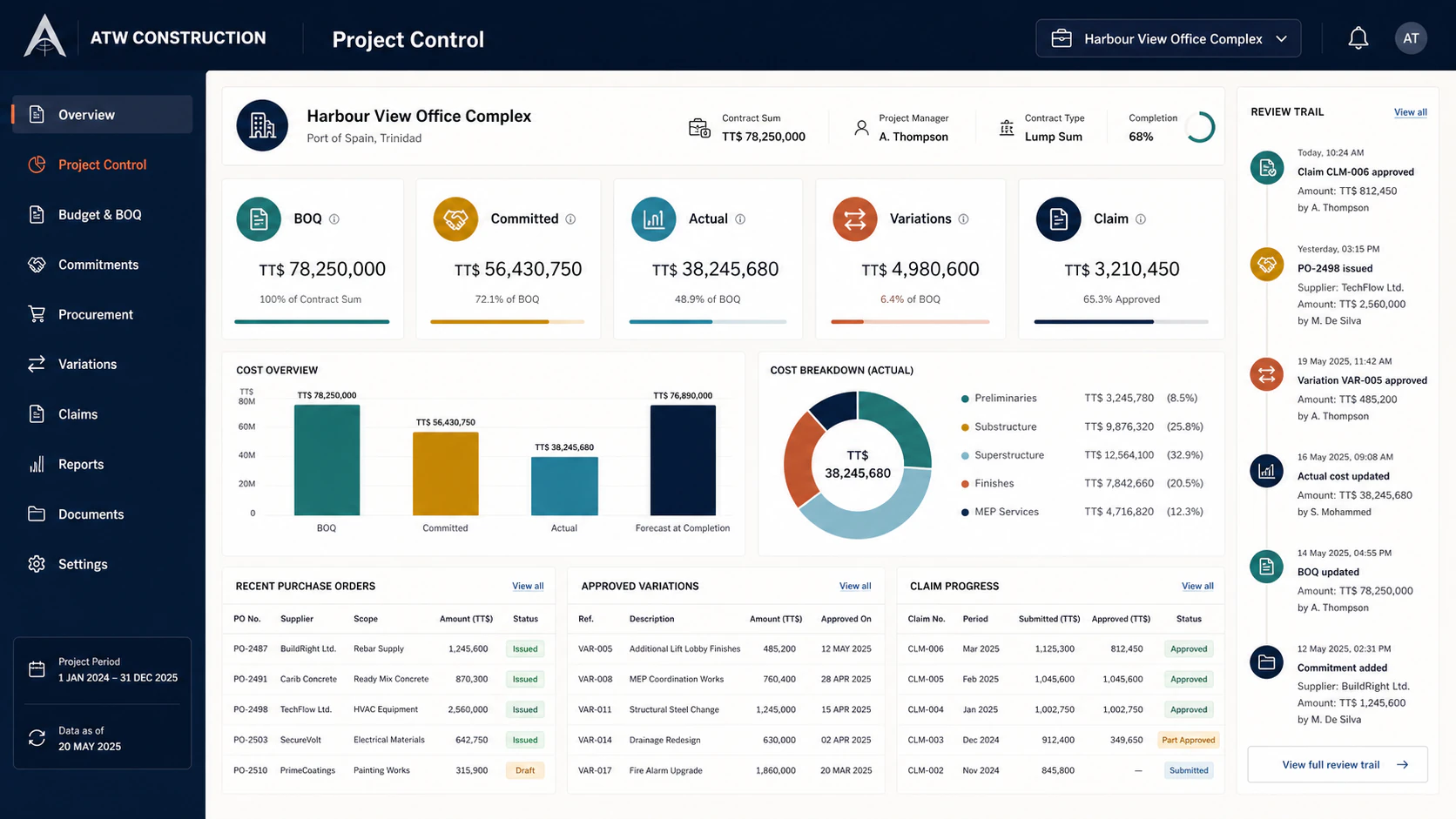
Job costing keeps approved purchase commitments apart from posted supplier or labour costs, with source records available for review.
ATW Labs preview · Construction commercial control
ATW Construction connects the commercial records behind a job so project teams can trace approved commitments, recorded costs, variations, and claim figures back to their sources.
ATW Labs preview · fictional records · scope confirmed before onboarding
For contractors and project teams that need a clearer project cost trail.
How the work moves
These steps describe the intended local synthetic sequence; they do not by themselves establish current end-to-end browser readiness.
Build and finalize the bill of quantities as the commercial baseline.
Create purchase orders and follow approved commitments by cost code.
Add supplier bills and labour records against the project.
Review job costing, source drill-downs, and approved variations.
Prepare a fictional claim preview and an internal draft certificate record for review; neither is certification or payment authorization.
Where it earns its place
Job costing keeps approved purchase commitments apart from posted supplier or labour costs, with source records available for review.
Variations and claim previews follow recorded project controls instead of becoming disconnected spreadsheet totals.
The demonstrated scope includes RFIs and a text-only site diary so project context can sit beside the commercial trail.
Current boundary
This page describes a local, synthetic, read-only workflow. File uploads and the Project Assistant remain disabled; no real-project, production-use, certification, payment, or end-to-end browser-readiness claim is made.
Questions, answered
Review the demonstrated scope, data boundary, and pricing process before deciding whether this workflow fits your business.
The ATW Labs preview covers plan, commit, record, control, claim using fictional or synthetic records, with the current evidence boundary explained before any future product discussion.
It is an exploratory product preview, not a promise of launch-ready software. Scope, availability, and production suitability must be confirmed with ATW in writing. This page describes a local, synthetic, read-only workflow. File uploads and the Project Assistant remain disabled; no real-project, production-use, certification, payment, or end-to-end browser-readiness claim is made.
The Business Suite pricing page applies to Business Suite, not this ATW Labs preview. Any future product scope, onboarding, support, availability, and pricing would need to be confirmed separately in writing.
See ATW Construction
This ATW Labs preview is for product discovery only. It does not create an account, connect real data, promise production availability, or establish production suitability. Ask ATW to confirm current scope and commercial availability in writing.